Dictation for Mac that already knows your words
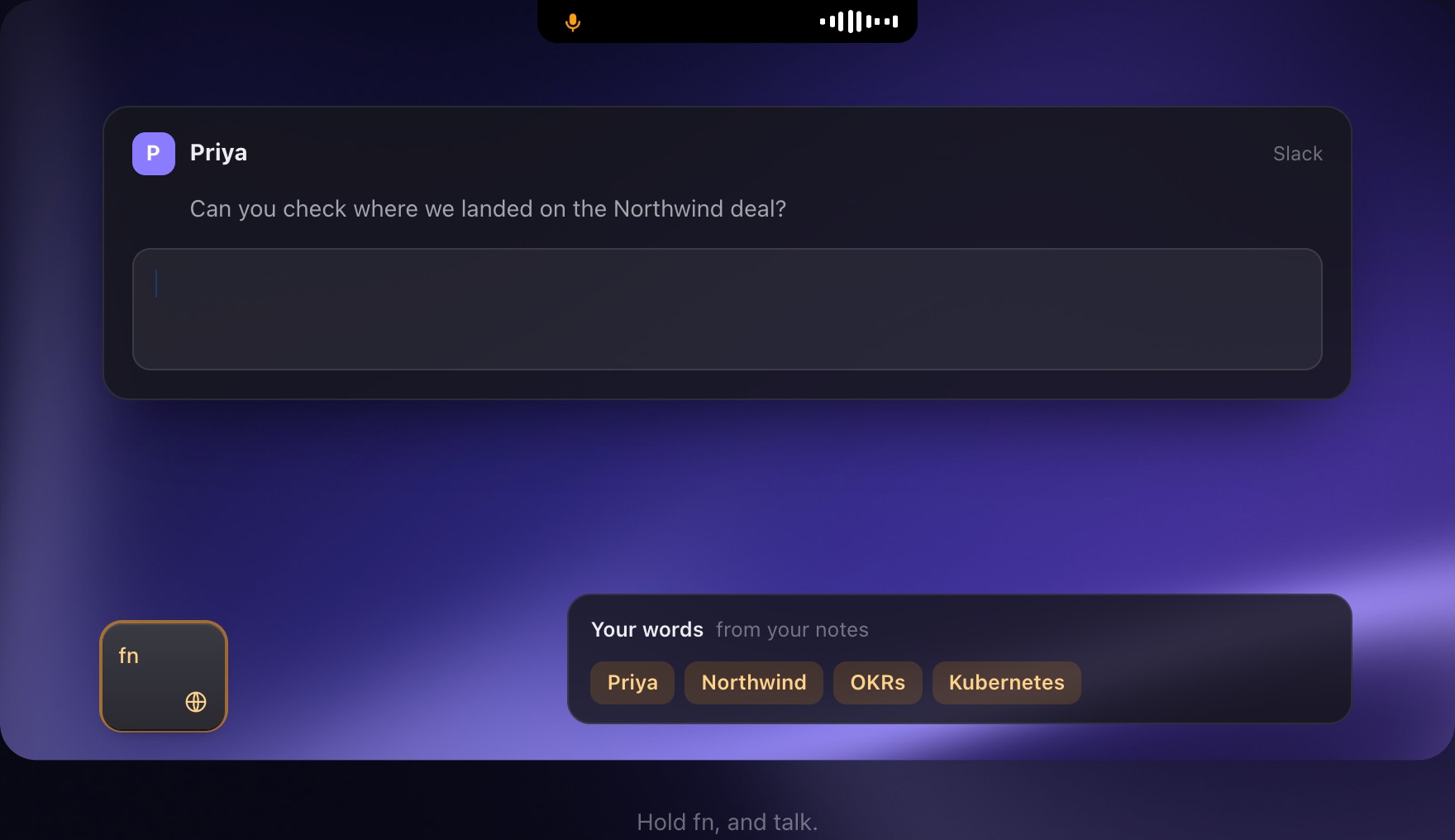
Caddie is AI dictation for the Mac: hold fn in any app, talk, and let go, and the text appears where your cursor is, cleaned up. Because it lives inside your notes, meetings and calendar, it already knows the names, products and jargon you say. In our test of six Mac dictation setups on everyday speech, Caddie made the fewest mistakes.
How it works
- Hold fn. In Slack, Gmail, your editor, anywhere your cursor is.
- Talk. Names, numbers, an email address, half in Hindi: say it how you'd say it.
- Let go. Your words appear, spelled right and punctuated, in about half a second.
Why it gets your names right
A stand-alone dictation app starts with an empty dictionary. Caddie listens for the words in your notes, journal, meeting notes and calendar invites from the first day, so Meera stays Meera and Kestrel Labs doesn't become Castrol. Correct a word once and it remembers; add your own words in Settings.
Three modes
Scribe is the most accurate and types in about a second. Default answers in about half a second with a few more mistakes. Turbo is for people who'd rather fix a word than wait.
English and Hinglish
Caddie keeps Hindi words in Roman letters, the way people actually type them: "kal tak bhej dena, it's for the Datadog review."
Better than Mac's built-in dictation
Apple Dictation is free and starts typing fastest, but in our test it made about one mistake in every four words. Caddie's Scribe left you about a third as much to fix.
Where your voice goes
Caddie transcribes in the cloud (Groq or ElevenLabs) for accuracy, and your Mac transcribes on its own if the cloud is slow. The clip isn't kept on Caddie's servers.
What it needs
A Mac with Apple silicon on macOS 26. Dictation is free while Caddie is in beta.
Questions people ask
How do I dictate on a Mac with Caddie?
Install Caddie, then hold fn in any app, talk, and let go.
Is Caddie's dictation free?
Yes, while Caddie is in beta. Then it's $10 a month for everything in Caddie.
Does it work in every app?
Yes, wherever you can type: Slack, Gmail, Notes, your code editor, the browser.
Does it support Hindi or Hinglish?
It keeps Hinglish (Hindi words in Roman letters) alongside English.