A shared workspace for your team's notes, tasks and calls
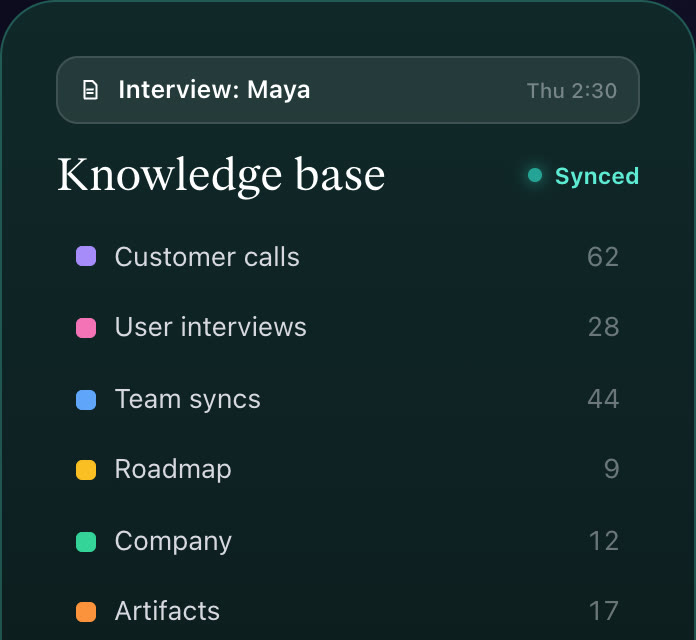
A Caddie team workspace is a shared place for your team's notes, tasks and collections, with everyone's meeting notes filed in one knowledge base. When two teammates record the same call, it becomes one note. Anything can still be private to its writer, and what's personal (journal, habits, settings) never enters the workspace. Invite people by email, or let anyone with a confirmed address at your company's domain join on their own.
How it works
- Make a workspace. Name it and invite teammates by email.
- Work in it. Notes, tasks and collections are shared and sync live.
- Record calls. Meeting notes land in the team's knowledge base; one note per call.
Teams in Caddie, at a glance
| Roles | Owner, admins and members |
|---|---|
| Joining | Invites by email (good for 14 days), or anyone with a confirmed address at your company's domain |
| Private | Any note or task can be private to its writer |
| Calls | Two people recording the same call make one note |
| Booking | Team links: book any one of you, or a time everyone is free |
Shared, with a private corner
Everything in the workspace is shared by default, and a note's writer can make it private. A workspace can also start new notes private. Journals, habits and settings stay in each person's own Caddie.
One note per call
When two teammates record the same call, Caddie merges them into one note, so the knowledge base has one record of each meeting.
Join by domain, safely
A workspace can let anyone whose confirmed email is at your company's domain join on their own. Free email providers never count, and only someone with a confirmed address at the domain can turn it on.
Team booking links
Book any one of several teammates, or only times when everyone is free, with optional extras.
What it doesn't do yet
- Team pricing after the beta is per seat; it's free while in beta.
- No guest access or per-page permissions.
Questions people ask
How do I invite my team?
By email from the workspace's settings (invites last 14 days), or turn on joining by your company's email domain.
Can I keep some notes private?
Yes. The writer of a note can make it private; nobody else sees it.
Is my journal shared?
No. Journals, habits and settings stay personal.
What does it cost?
Free while Caddie is in beta; team pricing will be per seat.