Your notes, tasks and calendar in any AI, through one MCP server
Caddie's MCP server (https://usecaddie.app/mcp) gives any MCP client, Claude, ChatGPT, Cursor, Claude Code or Codex, access to your Caddie: search and write notes, add and plan tasks, find free time and create events, log habits, make booking links, and search what was said on your calls. You connect it with a personal agent key from Caddie's settings, and you can remove the key at any time.
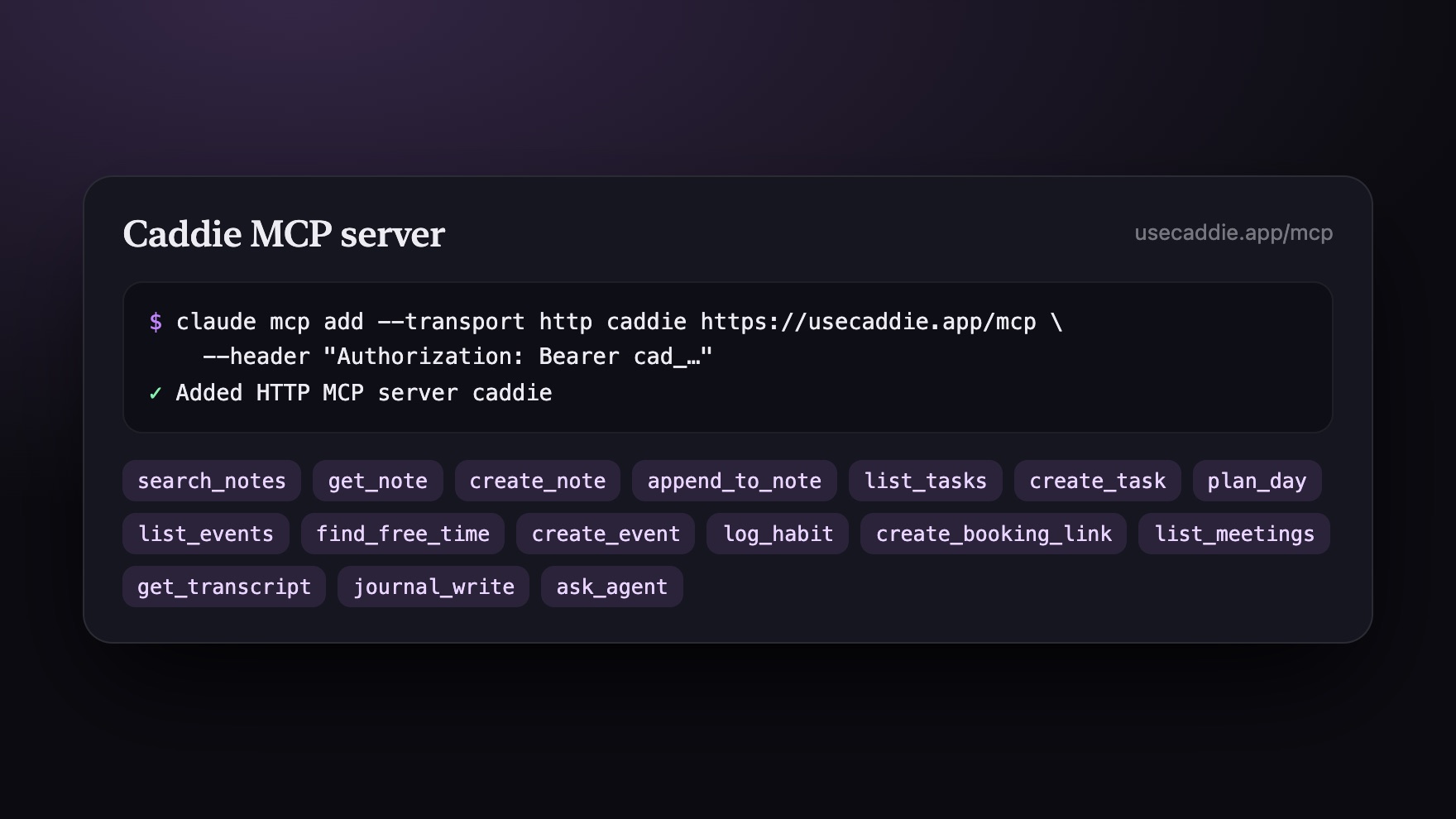
How it works
- Make a key. Caddie › Settings › AI › Your agents › new key (it starts with cad_).
- Add the server. In your client, add https://usecaddie.app/mcp with the key as a Bearer token (or ?key=cad_… where headers aren't possible).
- Ask. "What did Priya say about pricing on Tuesday's call?" "Find 30 minutes with no meetings tomorrow and block it for the deck."
claude mcp add --transport http caddie https://usecaddie.app/mcp \
  --header "Authorization: Bearer cad_…"
MCP server in Caddie, at a glance
| Address | https://usecaddie.app/mcp (streamable HTTP) |
|---|---|
| Sign-in | A personal agent key, sent as a Bearer token |
| Notes | Search, read, create, update, move, pin and share notes; read and write the journal |
| Day | Tasks, events, free time, habits and routines, booking links |
| Meetings and teams | List meetings, search transcripts, team workspaces and members, data tables |
What an agent can do with it
Search your notes and read one in full; create a note or append to one; add, update and finish tasks; list events and create one in a free slot it found; log a habit; make or change a booking link; list your recorded meetings and search their transcripts; read and update data tables; work in a team workspace.
Why your notes belong in your agent
An agent is only as useful as what it knows. With Caddie connected, Claude or ChatGPT can answer from your own meetings and notes, and put the follow-up on your calendar, instead of you copying context into a chat.
For your agents in Caddie too
The same server is how Caddie's own agents (and yours from outside, in Claude Code, Codex or T3 Code) start tasks, follow them and reply, so one key works everywhere.
Discoverable by agents
The server is described at usecaddie.app/.well-known/mcp/server-card.json, with an agent skill that explains how to use it.
What it doesn't do yet
- It reads and writes your Caddie only; it isn't a general web or file tool.
- Each key is personal: teammates make their own.
Questions people ask
Which apps work with Caddie's MCP server?
Any MCP client: Claude (desktop and Claude Code), ChatGPT, Cursor, Codex, and others that support remote MCP servers over HTTP.
How do I authenticate?
With a personal agent key from Caddie › Settings › AI › Your agents, sent as "Authorization: Bearer cad_…".
Is it free?
Yes, while Caddie is in beta.
Can it read my meeting transcripts?
Yes: list_meetings, search_transcripts and get_transcript, with the key's permission.