Turn any YouTube video into visual notes
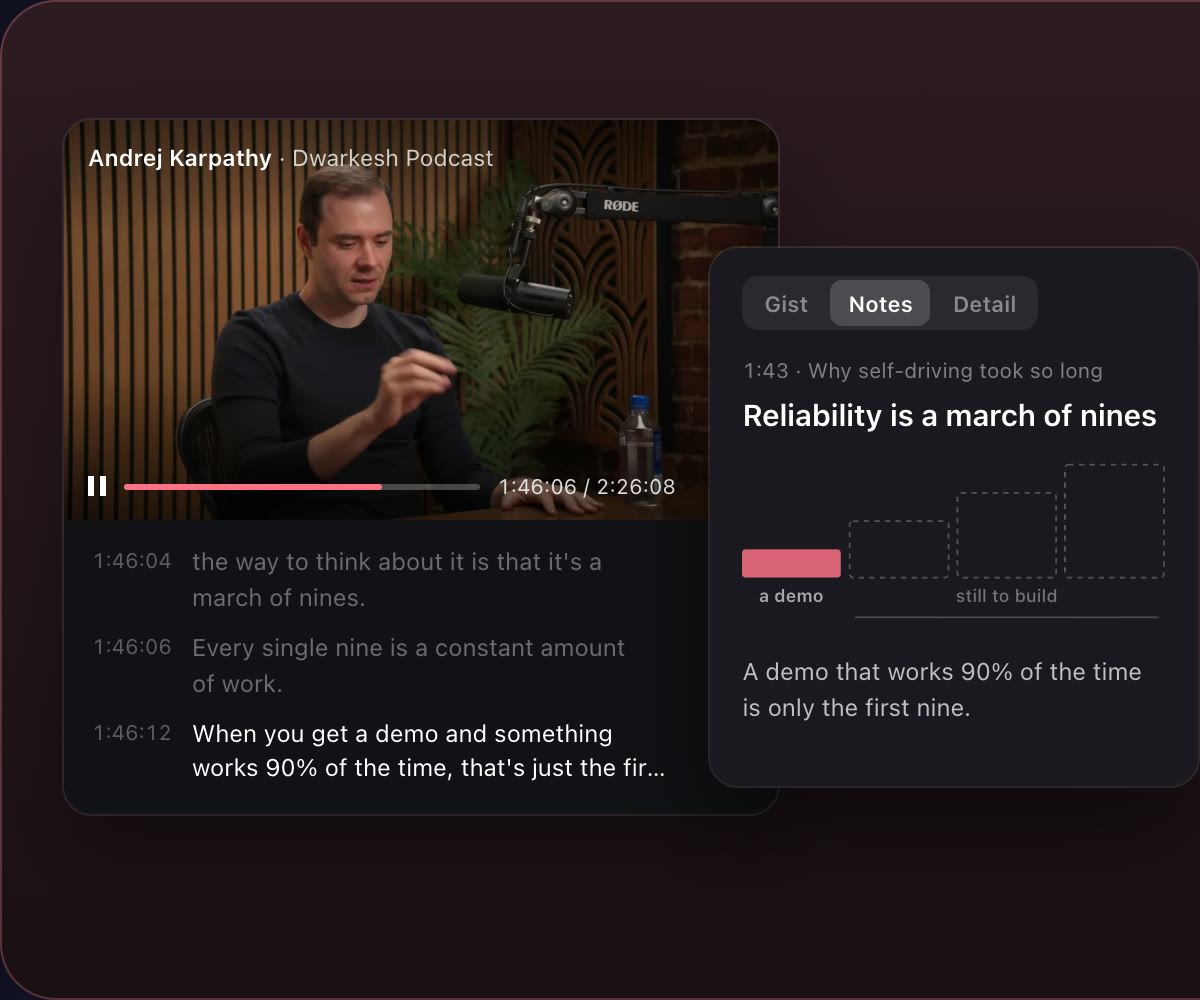
Caddie is a YouTube video summarizer that gives you notes, not just a summary. Paste a YouTube or X link and you get notes chapter by chapter, with a visual that explains each idea, while you watch with the transcript following along. Zoom from the gist to every detail, ask it anything about the video, and share the notes as a page. It works in your browser and in the Mac app.
How it works
- Paste a link. Any YouTube or X video, in a new note.
- Watch, or don't. The transcript follows along as the video plays.
- Read the notes. Chapter by chapter, with visuals, from the gist down to every detail; ask anything; share it as a page.
See a real example: an 86-minute podcast on finding product-market fit, as Caddie notes →
Notes you can zoom
Start with the gist in a few lines, then zoom into notes per chapter, then every detail with timestamps. Each chapter gets a visual that explains its idea, so you can skim a two-hour podcast in five minutes.
Ask the video anything
Ask a question about the video and get an answer from what was said.
Keep it with your other notes
Video notes are ordinary Caddie notes: searchable, in your folders, next to your meeting notes and tasks, and readable by your AI agents through Caddie's MCP server.
Share as a page
Send anyone a link to the notes; they don't need Caddie to read them. Our growth library is hundreds of podcast episodes shared this way.
Other ways to summarize a YouTube video
YouTube's own "Ask" answers questions on some videos in some countries; NotebookLM can add a public video with captions as a source; extensions like Glasp and Eightify put a summary beside the video. Caddie is for when you want notes you keep, with visuals, from YouTube and X.
Questions people ask
Is Caddie's YouTube summarizer free?
Yes, while Caddie is in beta.
Does it work with X (Twitter) videos?
Yes. Paste a YouTube or X link.
Do I need the Mac app?
No. Video notes work in your browser at usecaddie.app/app and in the Mac app.
Can I get the transcript too?
Yes. The transcript follows the video as it plays, and the detailed notes carry timestamps.