A notes app that organizes itself
Caddie is an AI notes app for the Mac and the browser. You write; Caddie's AI reads what each note is about and groups it into folders inside its collection (a customer, a kind of meeting, a project), so you never file anything. Search finds any word, the journal and your meeting notes live beside your notes, and you can bring your notes from Notion, Obsidian, Evernote, Mem or Apple Notes in a few minutes.
How it works
- Write, or bring your notes. Start typing, or import a Notion, Obsidian, Evernote or Mem export, or your Apple Notes.
- Let it sort. Ask a collection to organize itself and the AI groups its notes into folders by person, company, meeting type or project.
- Find anything. Search any word, or ask Caddie (⌘J) about what's in your notes.
Notes in Caddie, at a glance
| Imports | Notion, Obsidian (any Markdown folder), Evernote, Mem and Apple Notes; files are read on your device |
|---|---|
| Where | Mac app and any browser (usecaddie.app/app); iPhone in beta |
| Organizing | AI folders inside each collection; you can still make folders yourself |
| Sharing | Any note as a public page |
| Agents | Read and write notes from Claude, ChatGPT or Cursor through Caddie's MCP server |
How the folders make themselves
Each collection can organize itself: Caddie's AI reads what every note is about and groups notes that belong together, the same person or company ("Acme Corp"), the same kind of meeting ("User interviews", "Investor calls") or the same project. It needs an AI provider set up in Settings; without one you make folders yourself.
Moving from Notion, Obsidian, Evernote, Mem or Apple Notes
Drop the export in (zips are opened for you, nested ones too) and Caddie shows a preview before saving: notes, their folders and tags, and images. The unzipping and reading happen on your device; only the finished notes reach your account. On the Mac it reads Apple Notes straight from the Notes app.
Notes next to your day
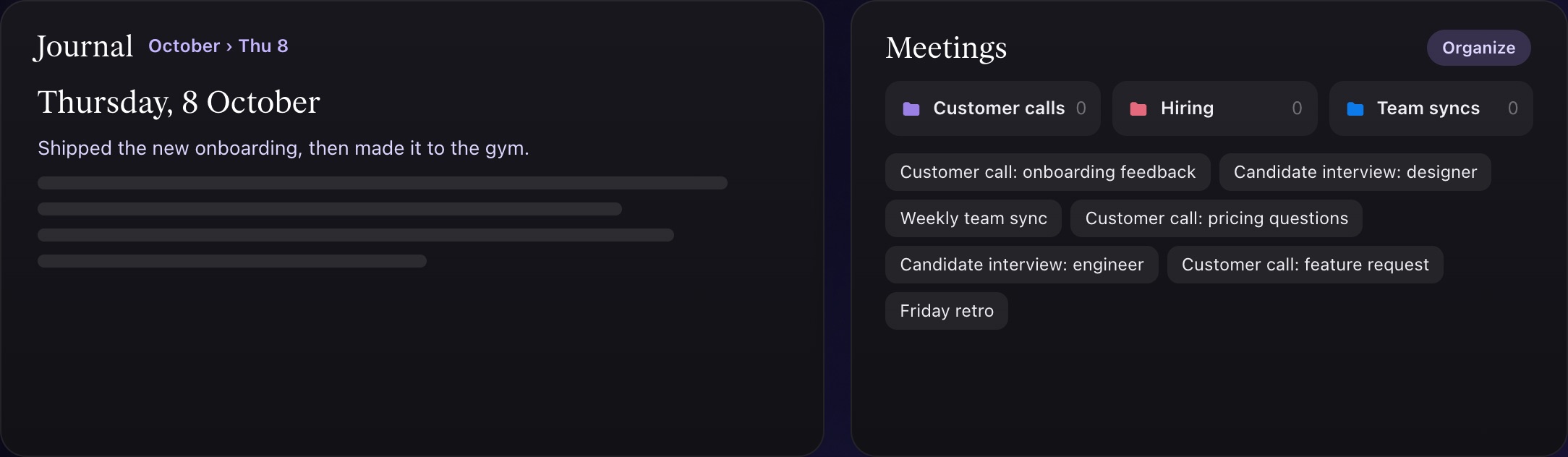
Notes sit in the same app as your tasks, calendar, meeting notes and journal, so a note can become a task, and a meeting's notes land in the right folder without you.
Share a note as a page
Any note can be a public page that anyone can read without Caddie: the growth library on this site is hundreds of notes shared that way.
What it doesn't do yet
- No Windows or Android app: notes work in any browser there.
- Databases and wikis with permissions per page are Notion's strength, not Caddie's.
- Organizing with AI needs an AI provider set up (Settings › AI providers).
Questions people ask
Can I import my Notion workspace into Caddie?
Yes. Export from Notion (Markdown and CSV), drop the zip into Caddie › Import, check the preview and save. Sub-pages and database rows keep their place.
Is there an Obsidian importer?
Yes. Caddie reads an Obsidian vault like any folder of Markdown files, with front matter and #tags kept as tags.
Is it free?
Yes, while Caddie is in beta.