 Caddie
Chapter 23 of 26 · Challenge, difficulty and feel
1 The bottom line
Make movement respond almost instantly, then quietly forgive near misses, so players feel their own skill. Control that feels good keeps people replaying, exploring and mastering.
2 Key takeaways
- Make the run start and stop in a few frames when you want precision. Acceleration and deceleration define how a character feels.
- Madeline in Celeste reaches full speed in about six frames and stops in three, yet it still feels human Mark Brown, Game Maker's Toolkit2:19.
- Curves that are too short feel stiff, as in Mega Man 11, and curves that are too long feel lumbering, as in Super Meat Boy Mark Brown, Game Maker's Toolkit1:56.
- Build the jump from two gravities and a cut on release. Light gravity going up and heavy gravity coming down makes a jump snappy.
- The Mind Over Magnet robot uses low gravity on the way up and very high gravity on the way down Mark Brown, Game Maker's Toolkit0:39.
- Madeline jumps about three body heights, Mario about four and Super Meat Boy about six, which feels floaty Mark Brown, Game Maker's Toolkit4:02.
- Forgive near misses quietly, with coyote time, input buffers and rounded collisions. Players stay feeling skilled and failures feel like their own mistakes.
- Celeste is a very hard game, but it hides many forgiving hacks, such as small spike hitboxes and a few frames of coyote time Mark Brown, Game Maker's Toolkit9:46.
- Speedrunners still abuse Celeste's extra frames for dash-cancels and hyperdashes, so the skill ceiling stays high while the floor drops Mark Brown, Game Maker's Toolkit11:03.
- Fix the controller before you build levels around it. A bad controller locks every level to its flaws.
- Mind Over Magnet's demo had slow acceleration and a floaty jump, so the controller code had to be thrown out and the levels redone Mark Brown, Game Maker's Toolkit2:47.
- Ori's burrow began slower and looser, and playtests with the team tightened it Chris McEntee, Moon Studios5:28.
- Keep real skill in the movement so mastery is the reward. Movement that is fun on its own carries the whole game.
- Super Mario Odyssey is tough to move well in, so getting it right is immensely rewarding, unlike Spider-Man's easier swinging Mark Brown, Game Maker's Toolkit5:03.
- Neon White's tight movement makes replaying a level never feel like a chore Mark Brown, Game Maker's Toolkit4:36.
games should look for precision - but not perfection.
Mark Brown, Game Maker's Toolkit
2.1 Decide the feel before you tune numbers
Pick the feel your game needs, then express it as a handful of numbers.
- Describe the character as a set of movement stats Mark Brown, Super Smash Bros.8:34
- List run speed, traction, jump height, gravity, air control and knockback taken.
- Stats alone make fighters feel quite different, with Incineroar the slowest and Sonic the fastest.
- Bowser would be too slow and heavy if he matched his Mario boss appearance, so fidelity gives way to play.
- Choose the curves that fit the game's goal Mark Brown, Celeste15:42
- Inside uses realistic animation, and N+ uses strong air control.
- Sonic has a very long acceleration curve and trouble stopping, which suits a game about building momentum.
- Keep top speed modest if control is the goal Mark Brown, Celeste3:00
- Madeline's top speed is fairly low, so she is fast enough to feel fluid but slow enough to feel in total control.
- Celeste has no run button, unlike Mario and Super Meat Boy.
- Hand-code the movement when you need precise control Mark Brown, Celeste5:21
- Celeste's movement is hard-coded in XNA, with no built-in engine gravity or physics.
- The numbers came from intuition, experience with many platformers and constant playtesting.
2.2 Tune the run and the jump
Set acceleration, deceleration, air movement and jump shape one at a time.
- Tune acceleration and deceleration as separate curves Mark Brown, Celeste1:56
- A run has acceleration, top speed and deceleration, and each shapes the feel.
- Long stops make Mario in Super Mario Bros 3 feel like he is running on ice.
- Madeline accelerates about four times faster than Super Meat Boy and stops about nine times faster than Mario in New Super Mario Bros U Mark Brown, Celeste2:19.
- Add heavy air friction and instant turning so players land where they aim Mark Brown, Celeste4:39
- Madeline turns with no skidding.
- If you release the stick mid-air, she drops almost straight down.
- Let jump height depend on how long the button is held Mark Brown, Mind Over Magnet4:17
- Check whether the player has let go of jump while rising.
- If so, apply the heavy downward gravity at once.
- In Super Mario Bros. distance also depends on run speed and you can steer mid-air, where Donkey Kong gave Mario three preprogrammed jumps Mark Brown, Game Maker's Toolkit6:46.
- Judge the jump in body sizes, and keep some hang time Mark Brown, Celeste4:02
- Look at the climb, the hang time and the fall of the curve.
- Madeline goes up and down fast but keeps enough hang time to line up a landing.
- Yarny in Unravel has a short jump that feels heavy.
2.3 Forgive near misses without telling the player
Hidden tolerance makes hard movement feel fair, and experts can still use it.
- Add coyote time so late jumps still work Mark Brown, Mind Over Magnet3:37
- Remember that the player was on the platform for a few frames after walking off, and allow a jump in that time.
- Pac-Man can turn a corner even if the stick moves a few pixels past the intersection
 Mark Brown, Pac-Man7:45.
- The same idea works on landing, by pushing the player to safety if they were a few centimetres from the ledge
 Mark Brown, Super Mario Odyssey, Titanfall 2, Just Cause 310:54.
- Buffer jump presses made just before landing Mark Brown, Mind Over Magnet3:31
- Keep requesting the jump for a few frames after the press, and perform it if the player lands in that window.
- Otherwise it feels like the game ate the input, and you want players to feel in control of the character Noel Berry, Celeste10:32.
- Use a capsule collider so bumps round off Mark Brown, Mind Over Magnet4:27
- A box makes players bump their heads on platforms they nearly clear.
- Swapping to a capsule lets the character slide past, with no extra code.
- When the player cannot see the state, lean the rules in their favour
 Mark Brown, Shovel Knight13:54
- Yacht Club did not show whether King Knight's bash was ready.
- Taking a hit grants a free bash.
2.4 Make it respond instantly
Cut delay between input and result, and remove friction from the core action.
- Cut anticipation and let animations interrupt each other Mark Brown, Mind Over Magnet5:25
- The robot's screen pops up the instant jump is pressed.
- Mark notes this is not a rule for every game, but it fits a responsive platformer.
- Show the wind-up pose on the first frame after the press Mark Brown, Super Smash Bros.17:20
- Responsiveness matters more than smooth interpolation.
- Zero Suit Samus's neutral jab skips the wind-up, while King Dedede's hammer keeps a long swing to convey strength.
- Free the movement and raise the frame rate Mark Brown, The Legend of Zelda: A Link Between Worlds11:53
- Link moves fast and freely, instead of being stuck on a grid or locked onto one enemy.
- It is the only 3D Zelda to run at 60 fps, and Mark calls it one of the best feeling Zelda games.
- Never add friction to the action players repeat most Mark Brown, The Legend of Zelda: Ocarina of Time7:22
- The Water Temple makes you open the menu each time you want to sink or float.
- That discourages exploration, and the 3DS remake changed it.
2.5 Match the input to the action
Choose controls that echo what the character does and suit the device.
- Mirror the character's physical action in the input
 Mark Brown, Jusant3:27
- In Jusant the triggers alternate hand over hand, and holding a trigger means gripping as the character grips.
- Bennett Foddy had GIRP players hold keyboard letters to climb, so they grip the keyboard as they would cling to a cliff
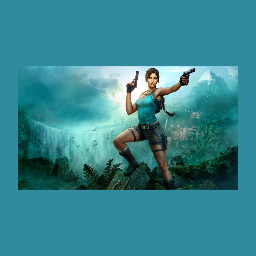 Mark Brown, Tomb Raider6:03.
- Skate uses right stick wiggles and flicks for ollies, Grow Home maps triggers to hand grabs and Katamari Damacy uses both sticks like two hands Mark Brown, Game Maker's Toolkit7:17.
- Pick the scheme that suits your core verbs and device Mark Brown, Game Maker's Toolkit5:01
- Trauma Center works with the Wii remote and DS touchscreen, but on an Xbox pad it would become like Surgeon Simulator.
- The NES d-pad suited 2D characters, but 3D only became effortless with the N64 analogue stick Mark Brown, Game Maker's Toolkit1:17.
- Keep risky actions off inputs players hit by accident Mark Brown, Star Fox Zero10:56
- Star Fox Zero puts boost, brake, somersaults, u-turns, barrel rolls and bombs on the right stick.
- Players trigger them when they do not want to, and record holder zallard1 abandoned runs after an accidental bomb or somersault.
- Make aiming accurate and easy to use Mark Brown, Star Fox Zero7:12
- On Star Fox Zero's TV the reticule is inaccurate, so players lose trust in where shots go.
- God of War snaps the axe reticle to enemies like a magnet, because it is not a shooter
 Mark Brown, God of War2:29.
- Star Fox Zero uses the Gamepad's gyroscope for fine aiming, because analogue sticks are not great for fine motor movement Mark Brown, Star Fox Zero3:09.
2.6 Keep the skill in it
Give players ways to recover and learn, but do not automate the challenge away.
- Give players a way to recover from a bad move Mark Brown, Shovel Knight15:59
- Plague Knight uses bombs, Specter Knight wall runs and King Knight bashes to save himself.
- Tony Hawk's lets you right your board, and Ghostrunner lets you slow time and dash to realign for a wall run Mark Brown, Super Mario Odyssey, Titanfall 2, Just Cause 311:15.
- Specter Knight has long jump hang time and falls slowly after dashing, which gives room to line up and correct Mark Brown, Shovel Knight8:26.
- Make hard moves learnable with consistent rules Mark Brown, Shovel Knight5:30
- Plague Knight's burst follows the same trajectory every time, so you can learn how far you will be flung.
- Specter Knight's dash slash only works near slashable objects, and a line shows roughly where he will end up Mark Brown, Shovel Knight7:43.
- Taking control away from the player is a surefire way to increase the learning curve Mark Brown, Shovel Knight14:57.
- Extra slippery momentum on King Knight's bash made it too scary to control, so the team cut it Mark Brown, Shovel Knight11:40.
- Do not automate the movement so far that no skill is left Mark Brown, Marvel's Spider-Man4:44
- Spider-Man's air control, web zip and zip to point let you place him almost like a drone.
- Sunset Overdrive gives style points and safety for staying above ground, and Superflight raises your score near a wall, so rewards give players a reason to push their skill Mark Brown, Marvel's Spider-Man5:40.
2.7 Where designers disagree
Effortless flow, demanding mastery and familiar controls each fit some games and not others.
- Effortless movement versus hard-won movement
- Insomniac wanted to keep momentum and flow going, so hitting a building becomes a wall run, justified by Spider-Man's eight years of practice Mark Brown, Marvel's Spider-Man13:23.
- Mark argues traversal can be every bit as deep as combat, yet modern Tomb Raider's climbing is practically automated Mark Brown, Tomb Raider6:53.
- The 1996 Tomb Raider demanded expertise, but its clunky grid and exact jumps frustrate, and the easier Legend lost something in the transition Mark Brown, Tomb Raider1:44.
- Follow control conventions or break them
- Skate, Grow Home, Fight Night, Katamari Damacy and Brothers show that amazing games can come from ignoring expectations Mark Brown, Game Maker's Toolkit7:09.
- Before adding a new control, check whether a simple existing one covers it, as Star Fox Zero's hold-to-look-down button does Mark Brown, Star Fox Zero12:40.
- Easier controls can undercut the mood
- Dead Space 3 swapped the wonky camera for a centred reticule, which helps the action but erodes the awkward, vulnerable feel that supported the horror Mark Brown, Dead Space 31:41.
Sources
Part of Challenge, difficulty and feel in the growth library.