 Caddie
Chapter 22 of 26 · Core mechanics and loops
1 The bottom line
Give each mechanic several jobs by letting one action, tool or verb solve combat, traversal, puzzles and choices. That yields deep play from few rules and few buttons.
2 Key takeaways
- Let one action work across several systems. One input then does the work of many rules.
- In Downwell the jump button also shoots, and shooting kills enemies, breaks blocks and slows your fall, which gives "a lot of depth for half the number of mechanics" Mark Brown, Game Maker's Toolkit1:39:34.
- The hat throw in Super Mario Odyssey is an attack, a capture, a platforming boost and a way to open doors, collect coins and pull switches Mark Brown, Game Maker's Toolkit4:26.
- Make the jobs compete so each use costs something. A shared tool or resource turns every use into a decision.
- Metro: Exodus needs two materials for nearly everything, so crafting one item locks you out of another Mark Brown, Game Maker's Toolkit4:48.
- Let the signature tool solve problems outside combat. A tool that answers many kinds of problems never leaves the player's hand.
- Prey's Gloo cannon freezes enemies, plugs hazards, moves heavy objects and builds climbing routes Mark Brown, Game Maker's Toolkit1:20.
- Kratos' Leviathan Axe and Mario's cap work the same way Mark Brown, Game Maker's Toolkit1:20.
- Fold new functions into an existing verb instead of adding buttons. Controls stay small while the game grows.
- Mario manages all his jump variety with a tiny handful of buttons, because "versatile verbs let you do more, with less" Mark Brown, Game Maker's Toolkit9:55.
- Check that each extra job changes what the player does. A layer the player can ignore is decoration.
- In Mark Brown's Carter's Curse you could ignore the monster fights on the top half of the screen and just play Picross Mark Brown, Game Maker's Toolkit5:45.
A good idea is something that does not solve just one single problem, but rather can solve multiple problems at once.
Mark Brown on Miyamoto's idea, Game Maker's Toolkit4:26
2.1 Find the action that can carry several jobs
Start with a verb that can reach into combat, movement and puzzles, then test how far it goes.
- Choose a verb that already touches more than one system, as in Mark Brown, Game Maker's Toolkit2:39 on Ori.
- Ori's bash connects platforming, combat and puzzle solving.
- Ori can bash an enemy into spikes, return a projectile to its owner, or use a lantern to cross a gap.
- Shovel Knight's shovel drop crushes enemies and bounces him upward, so one action covers both halves of the game Mark Brown, Game Maker's Toolkit2:24.
- The bounce height changes with what he hit, which makes the drop a traversal tool as much as an attack Mark Brown, Game Maker's Toolkit2:24.
- The Metroid ice beam is both a weapon and a way to navigate the world Mark Brown, Game Maker's Toolkit4:24.
- Test the verb in many small scenarios before you commit Mark Brown, Game Maker's Toolkit17:48.
- Mark's magnet could create a platform on a wall, ride a piston, flip polarity between conveyor belts, or launch you from a weighed-down platform.
- If scenarios come easily, you can build lots of levels.
- The prototype suggested both platforming and puzzle challenges, which gave Mark confidence in the idea.
- Swap narrow mechanics for ones that combine with more Mark Brown, Game Maker's Toolkit7:41.
- When a mechanic offers few combinations in the matrix, consider replacing it with a more open one.
- Mark swapped Mind Over Magnet's flippy lever for a spinning fan blade, which immediately suggested new puzzles.
2.2 Spread the jobs across the whole game
Let the tool answer questions from enemies, the environment, traversal and every playstyle.
- Give the tool jobs outside fights Mark Brown, Game Maker's Toolkit2:03.
- In Prey, Gloo plugs gas leaks and flames, patches faulty circuits to buy time, and soaks up toxic spills.
- It also uses the physics system to move objects Morgan can't lift.
- Because it serves combat, pacifism, exploration, problem solving and sequence breaking, it supports a game about choice and becomes a symbol of player empowerment Mark Brown, Game Maker's Toolkit7:55.
- Make the tool a way to travel, and it becomes essential Mark Brown, Game Maker's Toolkit2:29.
- Gloo sticks to nearly any surface except glass and stays indefinitely, so players climb it to reach rooftops and upper floors.
- Jusant's rope lets you place a piton, abseil, and swing along the wall to ledges far from any handhold Mark Brown, Game Maker's Toolkit8:59.
- Later the rope extends into three dimensions, dangling below a wall and swinging to a surface further back Mark Brown, Game Maker's Toolkit8:59.
- The rope is exactly 40 metres, so the player plans a route, sometimes backtracking to pull out a piton, and it tangles, so it is sometimes a saviour and sometimes an obstacle Mark Brown, Game Maker's Toolkit7:18.
- Put the central gimmick into dungeons and bosses too Mark Brown, Game Maker's Toolkit0:34.
- In The Minish Cap some dungeons are played entirely at Minish size, where normal enemies become huge bosses.
- In the Fortress of Winds you wreck a robot head, then shrink and sneak inside to blow it up from within.
- Let the tool become the player's shorthand for interaction Mark Brown, Game Maker's Toolkit5:53.
- A mechanic with many purposes gives an obvious answer to "how do I interact?".
- It lets designers create many ideas without adding many mechanics or buttons.
- In God of War the axe also hits turbines to spin them, drops buckets, freezes traps and smashes distant collectible ravens.
2.3 Make the jobs pull against each other
| Button held | Button released | |
|---|---|---|
| Fires guns | Yes | No |
| Repairs ship | No | Yes |
| Turning | Wide | Sharp turns |
| Player feels | Terrified | Anxious to re-engage |
When one input or resource does two things, using it for one means giving up the other.
- Tie two opposing needs to one button Mark Brown, Game Maker's Toolkit0:44.
- In Luftrausers you hold the button to fire, and the only way to repair the ship is to release it.
- The player swings between offence and defence, terrified while shooting and anxious to get back in while healing.
- This removes the need for a separate heal button, and releasing the throttle also allows sharp turns.
- Use one tool for both melee and ranged Mark Brown, Game Maker's Toolkit2:49.
- Because the axe is both weapons, throwing it leaves Kratos with only his fists.
- Fists are weaker but stun enemies more easily, and some foes fall faster to punches, so every throw has a cost and a benefit.
- Icy enemies resist the axe's frost blade.
- Share a few resources across many uses Mark Brown, Game Maker's Toolkit4:48.
- If you want difficult decisions, have fewer currencies.
- Ghost of Tsushima has about 13 materials, each tied to one upgrade, so upgrading one thing never blocks another.
- Give each move a different feel so players choose between control and chaos Mark Brown, Game Maker's Toolkit8:28.
- Celeste's dash was designed as the chaotic option and the stamina-limited climb as the precise one, and rooms often allow either or a mix.
- Downwell lets beginners shoot to survive while experts stomp, which is riskier but pays more Mark Brown, Game Maker's Toolkit1:39:34.
- In Mind Over Magnet the character is slow and leaden while holding the magnet and nimble without it, so play moves between two distinct types Mark Brown, Game Maker's Toolkit14:52.
2.4 Fold new jobs into the verbs you have
Attach new functions to existing inputs, weapons and spaces so the controls stay small.
- Attach new mechanics to your main action
 Mark Brown, Game Maker's Toolkit4:25.
- Splatoon is about shooting and swimming in ink, so you shoot ink on a surface, then swim in it to refill your gun or scale a wall.
- The new Doom orbits around melee, which is central to combat, gives you health, ties into movement and opens doors Mark Brown, Game Maker's Toolkit9:38.
- Tie controls to the weapon and the level's own rules instead of adding UI Mark Brown and Oliver Granlund, Game Maker's Toolkit19:13.
- The boat in It Takes Two first launched by recoil, which was terrible because you could not see where you were going.
- A rudder control was fun but broke their rules of kinetic, minimal UI and using the weapons.
- They ended on pressing the fire button to go, which kept the same function inside the core mechanic.
- Keep one control scheme and vary the moves inside it Mark Brown, Game Maker's Toolkit9:45.
- Every Smash fighter uses the same controls, and variety comes from damage, knockback, range, area and status effects plus very different special moves.
- Specials include projectiles, counters and traps, stored projectiles, coloured Pikmin attacks, and a pro-wrestling character built around grabs and counters.
- Let the environment supply the moves when the character's own moves are simple Mark Brown, Game Maker's Toolkit2:12.
- Sunset Overdrive gives the hero only a run, jump and roll, and walls, awnings, rails and poles become the movement tools.
- Level design matters as much as the mechanics here, since flow comes from bouncing from one object to the next.
2.5 Twist each job into new uses
Ask what a rule does to every object, what its opposite would do, and what else the tool can set up.
- Flip a mechanic on its head to find a fresh use Chris McEntee, Moon Studios2:27.
- Ask what the opposite use of an element would be.
- Normally you avoid a collapsing platform, but in one Ori room you must make all of them vanish without touching the ground so a projectile can cross.
- Apply one rule to every object in the game Mark Brown, featuring Jonathan Blow, Game Maker's Toolkit3:15.
- Once you have a rule, ask how each element could be twisted by it.
- Blow asked this of The Witness's grid, cells, line, environment and panel.
- In Braid, immunity to rewind is applied to enemies, keys, doors, clouds, platforms and even the player character.
- Let a utility tool set up combat rather than replace it Mark Brown, Game Maker's Toolkit1:47.
- Gloo freezes enemies and lowers their defence, which buys time to swap to a stronger weapon, scan them for research, or run.
- Bioshock's electric bolt and Metroid's ice missiles do the same.
- Break the one-item-one-boss pattern Mark Brown, Game Maker's Toolkit6:10.
- Majora's Mask bosses do not all die to the item found in their dungeon.
- Odolwa is vulnerable to many items, Gyorg is beaten by Zora Link, and Twinmold can be fought with the Giant's Mask or a regular bow.
- Goht is singled out as one of the most enjoyable boss battles in any Zelda game.
2.6 Check that every job changes play
A job only counts if it changes what the player actually does.
- Cut layers the player can ignore Mark Brown, Game Maker's Toolkit5:45.
- If the player can ignore a whole part of the game and it still works, that part is decoration.
- A puzzle with no tactics cannot be made harder or more interesting for different enemies, so the player repeats the same action.
- Give the surrounding layer a real effect on what the player does.
- Make tactile detail change decisions Mark Brown, Game Maker's Toolkit4:03.
- Red Dead Redemption 2 has hyper detailed animations and menus that let you browse an authentic catalogue of cowboy hats.
- It tipped into tedium and rarely led to interesting gameplay consequences.
2.7 Where designers disagree
Sharing a mechanic saves rules, but it can flatten variety or blur the focus of the game.
- Reusing a mechanic can make different activities feel the same.
- Griftlands uses card play for both combat and conversation, so both test tactics and strategy instead of social and emotional abilities Mark Brown, Game Maker's Toolkit9:54.
- The cost saving comes at the price of variety in what skills the player uses Mark Brown, Game Maker's Toolkit9:54.
- Majora's Mask uses fire, ice and light arrows across its four dungeons, and Brown calls it a little weird that "they're all arrows" given the amount of backtracking Mark Brown, Game Maker's Toolkit3:24.
- One signature tool is cleaner, but a rival tool can split the focus.
- In God of War, Atreus's bow also works in combat and on objects like light crystals and explosive growths, so the axe is not quite the centrepiece Mark Brown, Game Maker's Toolkit6:26.
- Doom goes the other way and lets you carry every weapon at once, each with its own role, so choosing the right one in seconds becomes a puzzle Mark Brown, Game Maker's Toolkit4:27.
- A large move set can add options without every move doing several jobs.
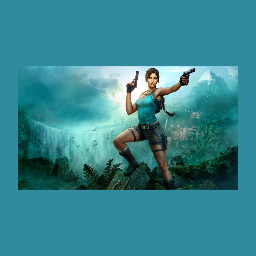
- Mirror's Edge gives Faith acceleration, a tuck and a roll, and the large repertoire gives you more options when moving through a space
 Mark Brown, Game Maker's Toolkit4:03.
- In an early section the player can run up the stairs, or bounce off a wall, clamber up and vault a bar to get there far faster Mark Brown, Game Maker's Toolkit4:03.
- Mirror's Edge gives Faith acceleration, a tuck and a roll, and the large repertoire gives you more options when moving through a space
Sources
Part of Core mechanics and loops in the growth library.